Business card size in cm: standard 85 x 55 mm and a 91 x 61 mm print file
Author: Alper Çimen, General ManagerPublished: 12 min read
In short
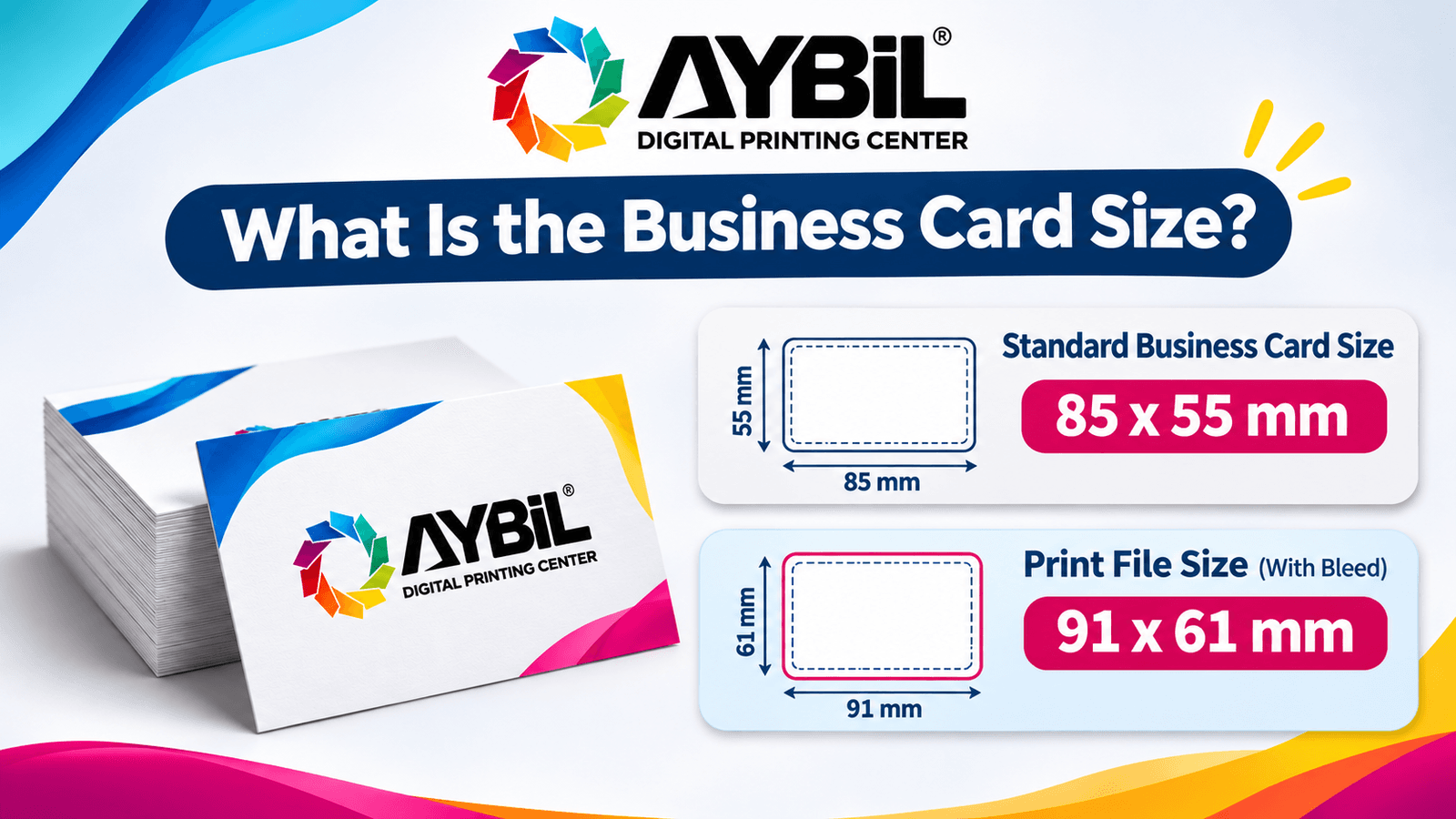
The standard business card size in Turkey is 85 x 55 mm, or 8.5 x 5.5 cm. Set up your print file at 91 x 61 mm with 3 mm of bleed on every edge, and keep text and logos at least 3 mm, ideally 5 mm, inside the trim line.
- In Turkey and Europe the standard business card is 85 x 55 mm (8.5 x 5.5 cm).
- The US and Canada use 88.9 x 50.8 mm, and Japan uses 91 x 55 mm.
- With 3 mm of bleed on each edge, the file is set up at 91 x 61 mm.
- Text and logos sit at least 3 mm, ideally 5 mm, inside the trim line.
- The file is prepared at 300 DPI in CMYK.
The common business card size in Turkey is the European standard of 85 x 55 mm, which is 8.5 x 5.5 cm [1][2]. That is the size of the finished card in your hand after trimming. The file you send to the printer, on the other hand, is set up at 91 x 61 mm, with 3 mm of bleed added to each edge [3]. Whether you design your card yourself or with a designer, you'll find every setting for the print file below, in order.
Say you're a freelance architect in Konya and you're designing your own business card. The example boxes below follow that card's file section by section.
What is the standard business card size in cm?
This is the European standard business card size [1], and it's the one commonly used in Turkey too.
No international standard fixes the size of a business card [4]. Turkey has no regulation on it either; the size comes from print shop practice and organisations' identity guidelines. The 2021 corporate identity guidelines of the Ministry of Family and Social Services recommend this format for staff business cards [2]. The guidelines write the size as "8.5mm x 5.5mm" [2]; the unit is a typo, and what they mean is 8.5 x 5.5 cm.
Ask a print shop for a "standard business card" and you'll most likely get this size. Ask your print shop for its size before you prepare the file, because some print shops and organisations work with differences of a few millimetres.
Business card sizes by country
They do, but only by a few millimetres. Cards in the US and Canada are 88.9 x 50.8 mm, and in Japan 91 x 55 mm [1]. Australia uses 90 x 55 mm and China 90 x 54 mm [1].
| Country or region | Size (mm) | Size (cm) |
|---|---|---|
| Turkey and Europe | 85 x 55 | 8.5 x 5.5 |
| US and Canada | 88.9 x 50.8 (3.5 x 2 in) | 8.89 x 5.08 |
| Japan | 91 x 55 | 9.1 x 5.5 |
| Australia | 90 x 55 | 9.0 x 5.5 |
| China | 90 x 54 | 9.0 x 5.4 |
This difference matters when you download a ready-made template. If the template is in the US size of 3.5 x 2 inches [1], it's longer and shallower than an 85 x 55 mm card. Send a file built on that template to a print shop in Turkey and the edges will either get cut off or stay white. When you open a template, the first thing to check is that the page size is 85 x 55 mm.
Travelling abroad for a business meeting and having the cards printed there? Prepare a separate file in that country's size. The 91 x 55 mm card used in Japan is 6 mm wider than your design. Don't scale the design up proportionally; rebuild the layout at the new size for a cleaner result.
Is a business card the same size as a credit card?
Almost, though not exactly.
Credit and debit cards use a card format called ID-1, which measures 85.60 x 53.98 mm with corners rounded to a radius of 2.88 to 3.48 mm [5]. A standard business card is 85 x 55 mm with square corners.
| Credit card (ID-1) | Business card | |
|---|---|---|
| Width | 85.60 mm | 85 mm |
| Height | 53.98 mm | 55 mm |
| Corners | Rounded | Square (rounded on request) |
The business card is slightly narrower and slightly taller than a credit card. Because European business cards and payment cards are almost the same size, they are easy to store together [4]. Your card slips easily into the card slot of your client's wallet, right next to their bank card.
If you'd like rounded corners, tell the print shop separately. One UK printer cuts rounded-corner cards at the same 85 x 55 mm with a 6 mm corner radius; the artwork size stays the same [3].
What is bleed, and what size should you set up the file?
Set up the file at 91 x 61 mm. That's what you get when you add 3 mm of bleed to each edge of the 85 x 55 mm trim size [3]. Those 3 mm are lost in trimming, so you put nothing important there [3].
Bleed is the part of the background that extends beyond the trim line. The way work moves through a print shop explains why you need it. Business cards are laid out side by side with other designs on a large sheet, printed, and then cut with a guillotine, a large paper-cutting machine [3]. The blade can shift slightly during cutting. If your background ends exactly at 85 x 55 mm and the blade is off slightly, a thin white strip is left along the edge of the card [3]. When the background colour, photo or pattern runs at least 3 mm past the trim line, that shift stays invisible [3][6].
The details of bleed vary from printer to printer. Three millimetres on each edge is the most common value [6][7]. Some printers ask for less. One UK printing company trims its cards to 84 x 55 mm and asks for the file at 88 x 59 mm [8]. Some sources recommend 3.175 to 6.35 mm (1/8 to 1/4 in) on every edge [4]. One US printer asks for about 1.4 mm per edge on a standard card [1]. Use your printer's own value when it gives one; otherwise 3 mm is the safe choice.
You can set this up in a design program in two ways:
- Open the document at 85 x 55 mm and enter 3 mm per edge in the "bleed" field of the program's settings [3][7].
- If your program has no bleed setting, open the document directly at 91 x 61 mm and mark the trim line with guides 3 mm in from each edge.
Both routes give the same output. With the first, just remember to turn on bleed and crop marks when you export the PDF [7].
Example: The architect in Konya opens the document at an 85 x 55 mm trim size and adds 3 mm of bleed to each edge, so the document becomes 91 x 61 mm. The dark grey background on the back of the card runs all the way to the edge of the 91 x 61 mm area. The 3 mm strip outside the trim goes under the guillotine, and no white line is left on the edge of the card.
Safe area: how far from the edge should text and logos sit?
Keep text, logos and QR codes at least 3 mm, ideally 5 mm, inside the trim line [3][6]. This inner zone is called the safe area: even if the blade shifts during trimming, anything inside it stays intact.
On an 85 x 55 mm card, a 5 mm margin leaves 75 x 45 mm for text and logos; a 3 mm margin leaves 79 x 49 mm. If you measure on the 91 x 61 mm file, count the bleed too and come in 8 mm or 6 mm from the file edge.
| Area | Size | What goes there |
|---|---|---|
| File (with bleed) | 91 x 61 mm | Background colour, photo, pattern |
| Trim size | 85 x 55 mm | The finished card |
| Safe area (5 mm) | 75 x 45 mm | Name, title, phone, logo, QR code |
Text that sits too close to the edge looks off-centre even when it isn't cut. A small shift in trimming can turn the margin on one side into 4 mm and the opposite one into 6 mm; a 5 mm margin keeps that difference too small to catch the eye. A thin line running parallel to the edge, such as a card border, shows this shift more than anything else. Removing the border or pulling it well inside the safe area is the sturdier option.
The QR code goes inside the safe area too. For a phone to scan it, it's recommended to be at least 20 x 20 mm with the space around it kept clear; before printing, test it at actual size with a few phones [1].
Example: The architect keeps the name, title and 20 x 20 mm QR code 5 mm inside the trim line, in the 75 x 45 mm area. The phone number and email address stay inside that area as well; outside it there's only the background colour.
Size and file orientation for vertical business cards
On a vertical business card the values swap: the trim size becomes 55 x 85 mm and the file with bleed 61 x 91 mm [3]. Bleed is still 3 mm on each edge, and the safe area still starts at least 3 mm inside the trim line [3].
A vertical card uses the same paper and the same cutting as a horizontal one; the printer prints it on the same sheet and cuts it with the same blade. Only the orientation of the design changes. So the real thing to watch on a double-sided card is how the front and back are rotated relative to each other. The front can be vertical and the back horizontal.
Some printers want vertical files rotated to fit their own layout. One printing company in the UK, for instance, asks you to rotate the pages 90 degrees for a vertical business card and send them as a two-page PDF [3]. If you're printing a vertical card, find out your printer's orientation preference before you send the file.
So what changes if the architect wants a vertical front? The document opens at a 55 x 85 mm trim size as a 61 x 91 mm file. This time the safe area is 45 x 75 mm.
Print-ready file: resolution, colour mode and final check
A business card file is prepared at 300 DPI resolution in CMYK colour mode [7]. DPI is the number of dots per inch, and it determines how sharp the print comes out. Choose these two settings right when you create the document and you'll avoid converting later.
CMYK is the colour mode a print shop uses to print with four inks (cyan, magenta, yellow and black). Screens, by contrast, work in RGB, made of red, green and blue. When a file built in RGB is converted to CMYK, vivid colours can shift; start the design in CMYK and you'll see that difference on screen before printing. If your logo is defined in a special colour such as Pantone, let the print shop know separately.
Type and line weight are among the most common mistakes on a small card. One business card printer asks for text of 8 pt and above and thin lines of 0.5 pt and above [8]. Text below 6 pt is usually unreadable in print [7]. Check the phone number at actual size, not zoomed in on screen.
Supply the file as a PDF. Choose PDF/X-1a in the export menu: this PDF type, defined for printing, keeps all colours in CMYK and embeds the fonts in the file [7]. PDF/X-4 works too, provided your print shop accepts it [7]. Any photos should be at least 300 DPI [8].
Before you send it, go through this list:
- Page size 85 x 55 mm, bleed 3 mm on each edge (file 91 x 61 mm).
- Background colour and images run all the way to the end of the bleed area.
- Text, logo and QR code sit at least 3 mm, ideally 5 mm, inside the trim line.
- Colour mode is CMYK, images are 300 DPI [7].
- Text is 8 pt or larger, lines 0.5 pt or thicker [8].
- Bleed and crop marks are on in the PDF, fonts are embedded [7].
- You've opened the PDF in a reader and checked both sides one last time [7].
The architect's file already had these settings, so the last step is short. The phone number goes up to 8 pt, and the file is exported as PDF/X-1a with bleed and crop marks turned on. After opening the PDF and checking both sides, the architect sends it to the print shop.
Special cases: square and mini cards, organisations' own sizes, the printer's template
For non-standard cards, take the size from the printer's template, because square and mini business cards have no common size. The logic of bleed and safe area stays the same.
Square and mini card sizes depend on the printer. One business card printer trims square cards to 65 x 65 mm and asks for the file at 69 x 69 mm [8]. At the same printer a mini card is 70 x 28 mm, with a 74 x 32 mm file [8]. A mini card is narrow, so a name and one contact detail fit comfortably.
If you work for an organisation, its identity guidelines may set the business card size. Sabancı University's 2025 guidelines define corporate business cards as 90 x 50 mm, offset printed on 350 gsm matte coated paper with matte lamination [9]. The Ministry of Family and Social Services guidelines, meanwhile, recommend 8.5 x 5.5 cm and specify 350 gsm paper [2]. Both guidelines settle on 350 gsm [9][2], a useful reference when you pick the paper for your own card. If your organisation has guidelines, follow them over the general standard.
Letterheads, envelopes and folders are often prepared under the same guidelines as business cards. You can see all of these products on our corporate identity products page. Our other articles on topics such as letterheads are in the corporate identity articles category.
When your printer offers a downloadable template, use it instead of entering the measurements by hand. The 85 x 55 and 91 x 61 mm values in this article are there so you can set up your document correctly when there's no template. If you spot a difference between the template and this article, go with the template, since that printer's blade will do the cutting.
Once your file is ready, the next step is choosing the paper and finish and sending it to print. You can look at paper options on our business card printing page and upload your PDF there.
Frequently asked questions
What information should a business card include?
Most business cards carry a full name, job title, phone number, email and, where needed, an address or website. You can add a logo and a QR code; all of it has to stay inside the safe area. Less information reads more comfortably on a small card.
Which program should I use to design a business card?
Any design program will do the job if it lets you set the page size in millimetres, use CMYK colour mode and export a PDF with bleed. What matters is that the document is set up with the right size and settings; the program itself matters much less.
This article is part of “Digital print and marketing”.
Sources
- Vistaprint, Kartvizit ölçü rehberi · Vistaprint Ideas and Advice US, 2026-09-29
- Kurumsal Kimlik Kılavuzu · Aile ve Sosyal Hizmetler Bakanlığı, 2021-06-21
- Kartvizit için başlangıç rehberi · Tradeprint
- Wikipedia, Business card maddesi · Wikimedia Foundation, Inc, 2003-08-26
- Wikipedia, ISO/IEC 7810 kimlik kartı ölçüleri · Wikimedia Foundation, Inc, 2003-02-24
- Kesim işaretleri ve taşma payı · Bristol Üniversitesi
- Baskı tasarımı: matbaaya gitmeden önce bilmeniz gerekenler · Affinity, 2026-03-31
- Kartvizit tasarım yönergeleri · MOO
- Kurumsal İletişim Kılavuzu · Sabancı Üniversitesi, 2025-12-15
- #business card
- #business card size
- #bleed
- #print file
- #corporate identity
Ask us about this on WhatsApp
Send your file on WhatsApp or by email. We'll plan the delivery around your job.